
Bridge: Debit Card Rewards
Bridge MoneyShopping
4.32.46K Reviews
- Version
- 6.0.0
- Installs
- 100.00K
- Age Rating
- Everyone
Screenshots
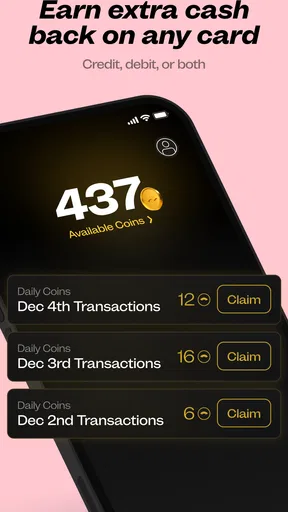
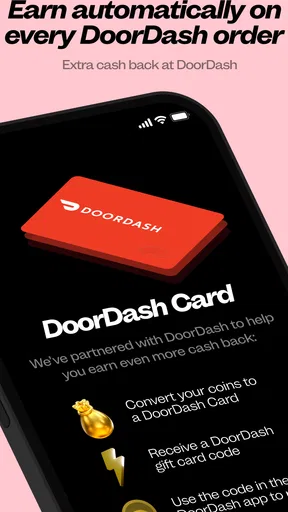
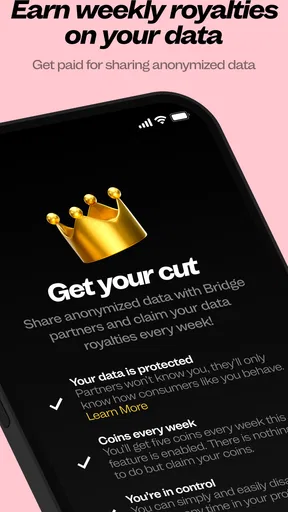
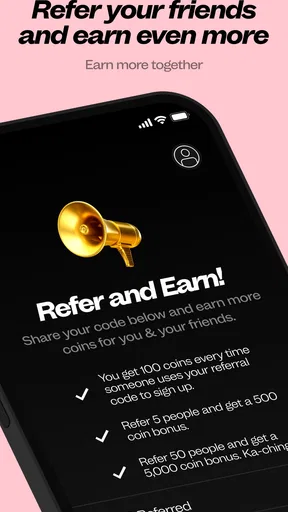
Our Review of Bridge: Debit Card Rewards
 Analysis by Appyee
In a shared household, a rewards app can sound like an easy win: one person does the grocery run, another picks up a few essentials, and ordinary spending might earn something back. I would treat Bridge as a personal account rather than a household wallet, though. If several people use the same phone, it is worth deciding whose card and account are connected before anyone starts exploring offers or rewards. That small conversation helps keep everyday purchases and expectations clear.
One account, one clear owner
Bridge is a free shopping app from Bridge Money, with a 4.3 average from around 12,000 ratings and more than 100,000 installs. Those figures suggest it has found an audience, but they do not tell me whether its offers will suit every household. I would start with the person who already manages the debit card being considered, rather than passing one login around or treating the app as a shared family balance.
That boundary matters because a rewards account is tied to someone’s spending activity and choices. If one person links a card, another person should not assume their own purchases will appear there or that they can redeem rewards on the account holder’s behalf. Before linking anything, I’d agree on who will check offers, who will make redemption decisions, and whether the app is only for that person’s purchases. This is a practical routine, not a claim that Bridge offers household profiles or family controls.
Fit it around the errands you already make
The most realistic way I can see a household using Bridge is to let the cardholder check the app before a regular errand, then pay with the linked debit card as usual. For example, if I were heading out for groceries and coffee, I’d look at the available deals first, decide whether any match what I genuinely planned to buy, and avoid adding items just to chase a reward. That keeps the app in the role of a small extra benefit, not a reason to spend more.
This is also where the app differs from simply using a retailer’s own loyalty program. Store-specific schemes can be more directly connected to one shop, while Bridge’s appeal is the possibility of rewards around debit-card spending and other activities. The trade-off is that a deal still needs to fit your actual shopping habits. I would compare the effort and value with any loyalty offers I already use, rather than assuming one app replaces every store program or gives the best return on every purchase.
Keep coordination simple
For couples or housemates who split errands, a quick check-in can prevent awkward assumptions: the account holder can say which offers they intend to use and whether they are comfortable with a particular purchase counting toward their rewards activity. If you share a device, I’d also make a habit of switching back to the right person’s account before browsing or changing settings. That is ordinary account hygiene, especially when a financial card is involved.
A useful tip is to separate “this is a deal I might use” from “this is a purchase the household needs.” I’d make the shopping list first, then see whether Bridge has a relevant offer, rather than letting an app determine what goes in the basket. Another is to check the redemption choices before building up expectations: cashback, gift cards, and charitable donations suit different people, and a reward is only useful if its available form works for you.
Age, trust, and sensible expectations
The app is rated Everyone, so its content rating is suitable for a broad audience; that is not the same as a recommendation to let a child manage an adult’s debit card or account. In a family, I’d keep card linking and reward redemption with the adult who owns the card, while explaining to younger household members that rewards are occasional benefits rather than free money to spend. Bridge is currently at version 5.2.3 and supports Android 7.0 or later, useful details to check against the device you plan to use.
I would also approach the app with the same care I use for any service connected to spending. Read the screens presented during setup, understand what you are agreeing to, and only connect a card if you are comfortable doing so. The original article’s enthusiastic account of setup should not be mistaken for a blanket guarantee about security. My own rule would be to keep the app’s role modest: use it if the connection and terms make sense to you, and skip card linking if you would rather keep shopping activity entirely separate.
Who gets the most from it?
Bridge makes the most sense for someone who already uses a debit card for routine purchases, enjoys checking occasional offers, and is willing to spend a little time exploring rewards. It may also appeal to a person who wants the option of directing a reward to charity instead of choosing a personal perk. The app includes games and surveys among its broader ways to engage, so it is not limited to passive card-linked rewards; I’d consider those activities optional extras rather than a reliable source of value.
It is less compelling if you want a completely hands-off cashback tool, dislike browsing promotions, or would need to change your normal spending to make an offer worthwhile. Someone who prefers a single bank-provided rewards feature may find that simpler, while a shopper loyal to one retailer might get more practical use from that retailer’s own program. Bridge’s advantage is variety; its cost in convenience is having another app and set of choices to keep track of.
Small checks that improve the experience
When deciding whether to try it, I’d ask myself three practical questions: do I regularly pay with the debit card I might connect, do I want the reward options Bridge offers, and am I comfortable keeping up with its activities? If the answer to the first two is no, the app is unlikely to become useful just because it has several ways to earn. If they are yes, I’d begin with ordinary purchases and review how the experience fits my routine before treating rewards as part of my budget.
I’d also avoid counting a reward before it is actually available to redeem. Offers and activities can involve steps, and a headline reward is not the same as money already in your account. Check the app’s current terms and the requirements shown for each activity, especially before making a purchase you would not otherwise make. That habit is more valuable than trying to optimize every small opportunity.
Bridge is free to download, with optional in-app purchases listed from around two dollars to around fifty-two dollars per item. I would not assume that paying for anything is necessary to use the app’s basic appeal; instead, I’d review each purchase prompt carefully and decide whether it offers something I actually want. The distinction between a free app and optional spending is worth keeping clear, particularly if a shared device makes it easy for someone else to tap through a prompt.
There are also about 2,400 written reviews alongside its ratings, which can help a prospective user get a sense of other people’s experiences, but I would read them as individual accounts rather than a promise that my own rewards will look the same. Offers, habits, and patience differ. A few minutes spent checking recent feedback and the app’s own current screens is a sensible step before linking a card, especially if you are cautious about financial apps.
For shared-device households, my recommendation is conditional: let the cardholder make the account decisions, keep expectations between household members explicit, and use the app only when it fits purchases already on the plan. If everyone expects one shared pot or automatic family tracking, this is not the right assumption to bring to it. If one adult wants to explore debit-card rewards independently while keeping the rest of the household informed, that is a much clearer arrangement.
Ever wanted to earn rewards every time you use your debit card? Well, you're in luck because Bridge: Debit Card Rewards is here to make that happen. I recently got my hands on this app, and let me tell you, it’s like having a little treasure chest right in your pocket. So, let’s dive into my experience with this nifty app.
Getting Started with Bridge
First things first, setting up Bridge: Debit Card Rewards was as easy as pie. After downloading it from the app store, I was greeted with a sleek and straightforward interface that made the whole registration process a breeze. You just need to link your debit card, and voilà, you're ready to start earning rewards. The app ensures top-notch security, so you can connect your card without any worries.
How Does It Work?
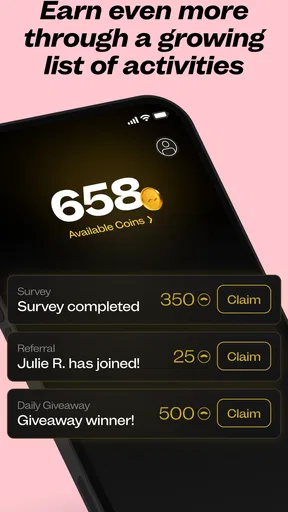
Here’s the fun part – every time you make a purchase with your linked debit card, you earn rewards. It’s not just about spending, though. Bridge offers a variety of ways to boost those rewards. From participating in special challenges to referring friends, there’s always something exciting happening.
The app categorizes your spending habits and offers personalized deals, which means you’re not just earning points on random purchases. It feels like the app knows me personally, offering deals that align with my weekly grocery runs or my occasional coffee splurge.
Rewards Galore
Now, let’s talk rewards because, honestly, that’s what we’re all here for, right? With Bridge, you can redeem your rewards for gift cards, cashback, or even charitable donations. The variety is impressive, and it’s nice to have options that suit different lifestyles. I opted for a few gift cards and a little cashback, which felt like a reward for simply living my life.
User-Friendly Interface
Navigating through the app is a joy. The design is clean and intuitive, and everything is just a tap away. Whether you’re checking your rewards balance or browsing the latest offers, it’s all incredibly accessible. The app doesn’t bombard you with unnecessary notifications, which is a massive plus in my book.
Community and Support
One of the standout features is the community aspect. Bridge has a vibrant community of users who share tips and tricks on maximizing rewards. If you ever feel stuck or have questions, the support team is just as friendly and responsive. I reached out with a query, and they got back to me in no time with a solution.
Why You Should Try Bridge
If you’re someone who loves getting rewarded for everyday spending, this app is a no-brainer. It’s perfect for anyone looking to make the most out of their purchases without switching to a credit card. Plus, the added benefit of contributing to charities makes it even more appealing.
In summary, Bridge: Debit Card Rewards offers a seamless and rewarding experience for debit card users. It’s like having a personal reward assistant that keeps giving back every time you spend. So, if you haven’t given it a shot yet, I highly recommend downloading it and starting your reward journey today. Trust me, you won’t look back!
Verdict
Strengths of Bridge: Debit Card Rewards
- Earn rewards on every purchase easily.
- No hidden fees or surprise charges.
- User-friendly interface for easy navigation.
- Instant notifications for transactions.
- Customizable spending categories.
Limitations of Bridge: Debit Card Rewards
- Limited to certain retail partners only.
- Requires stable internet connection.
- Rewards conversion can be slow.
- May not support all bank accounts.
- Customer support response time varies.
Similar Picks in This Category
View All
SHEIN-Shopping Online
Roadget Business PTE. LTD.4.8

Amazon Shopping
Amazon Mobile LLC4.4


Mercado Libre: Compras online
Mercado Libre4.8

Wish: Shop and Save
Wish US Holdings LLC4.7

Alibaba.com - B2B marketplace
Alibaba Mobile4.4
Frequently Asked Questions
What is Bridge: Debit Card Rewards and how does it work?
Bridge: Debit Card Rewards is a mobile app that links to your existing debit card, allowing you to earn rewards on everyday purchases. By using the app, you can track your spending, accumulate points, and redeem them for various offers and discounts. It's designed to seamlessly integrate into your daily financial routine.
Is Bridge: Debit Card Rewards safe to use with my debit card?
Yes, Bridge prioritizes user security. The app uses encryption and secure protocols to protect your personal and financial information. Additionally, it doesn’t store sensitive data and complies with industry standards for financial transactions. Always ensure you download the app from official sources to maintain security.
Can I use Bridge: Debit Card Rewards with any debit card?
Bridge supports a wide range of major debit cards from different banks. However, compatibility might vary depending on your bank's policies and the app's partnerships. It's recommended to check the app's supported card list or consult your bank to confirm if your card is eligible for rewards.
What types of rewards can I earn with Bridge: Debit Card Rewards?
With Bridge, you can earn a variety of rewards, including cash back, discounts on retail purchases, gift cards, and exclusive deals. The rewards catalog is frequently updated to provide users with fresh and exciting offers tailored to different spending habits and preferences.
Are there any fees associated with using Bridge: Debit Card Rewards?
The Bridge app is free to download and use, with no hidden charges for accessing basic features and earning rewards. However, there might be premium features or subscription options available for enhanced benefits. It's advisable to review the app's terms and conditions for any potential costs.
